Publishing steadily matters more than publishing in bursts. One good article a week for six months beats twenty in January and nothing after. Autopilot keeps that pace for you: it takes the next topic from your list, writes the draft, checks it, and puts it in your Publish Queue.
What a run does
Open Autopilot. Each run:
- Takes the oldest topic in your queue.
- Looks at what ranks for it and writes a draft, the same way the Editor does (lesson 3.2).
- Scores the draft, checks it for copied text, and flags claims the sources don't back up (lesson 3.4).
- Sends it to your Publish Queue, or publishes it, if you chose auto-publish and it passed.
If a run fails before the draft is ready (a provider error, say), the topic goes back to the front of the queue and is retried after an hour, then after six hours, before giving up after three tries. Failed attempts don't use up your monthly runs. Pro includes 12 Autopilot articles a month, and Scale 60.
Step 1: Fill the topic queue
Type keywords into the Topic queue, one per line, or send them from elsewhere:
- Content Planner: Send to Autopilot → on any topic you don't cover yet (lesson 2.4)
- Competitor research: Autopilot → on any gap keyword (lesson 2.3)
- AI Visibility: Write about this on a prompt that leaves you out (lesson 7.5)
Topics run oldest first, so put the most important ones in first.
For ieltsbandlift.com, Module 2 already gave us the list: Part 1 questions with sample answers, Part 3 discussion questions, "letter of apology" and "advantages and disadvantages" essays, and an IELTS band score calculator page. That's five weeks of articles, every one chosen for a reason, before Autopilot writes a word.
Step 2: Choose how often, and what happens to each draft
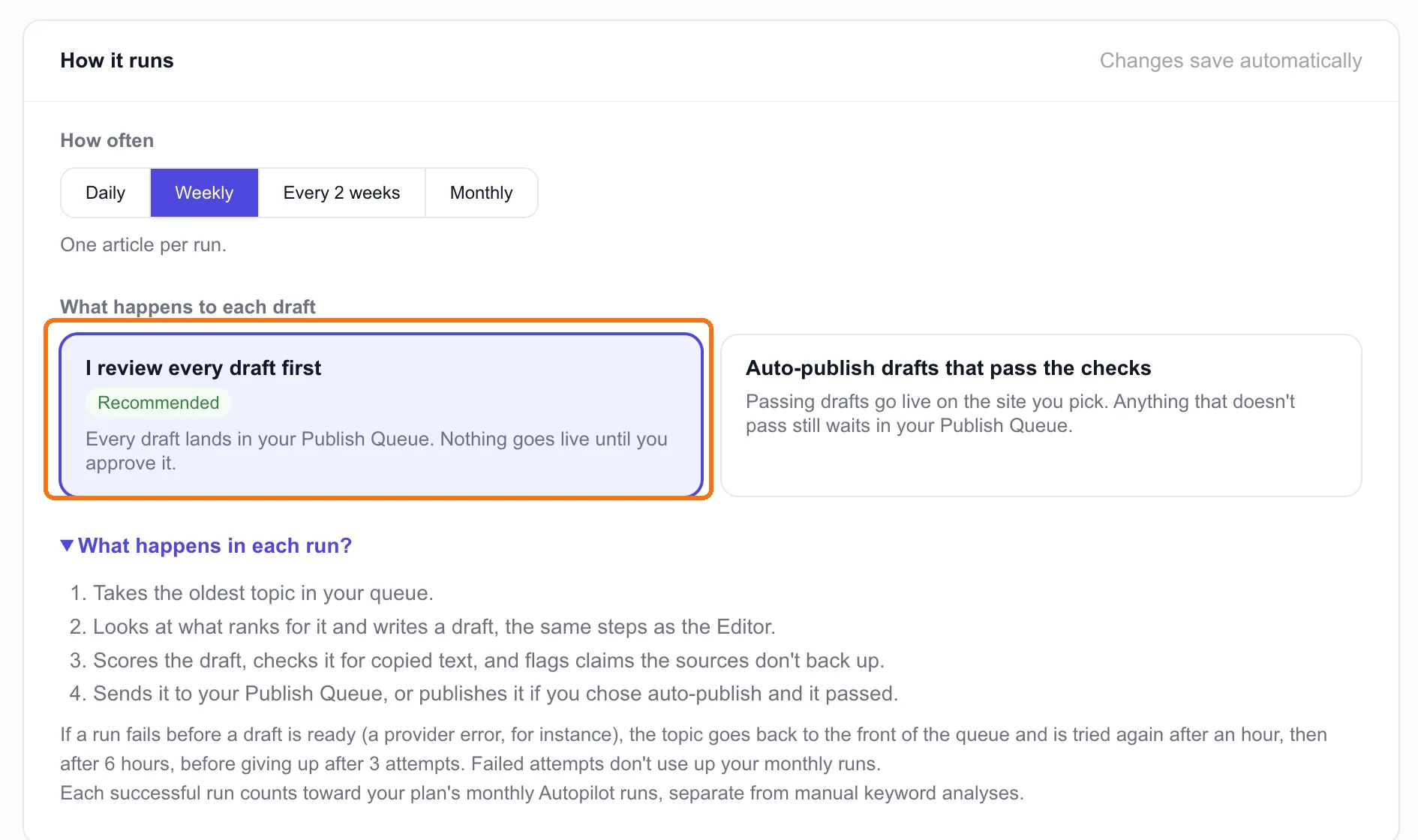
How often: daily, weekly, every two weeks or monthly. One article per run. Pick the pace you can actually review, not the fastest one. Weekly is the default, and it's right for most sites.
What happens to each draft:
- I review every draft first (recommended): every draft lands in your Publish Queue, and nothing goes live until you approve it.
- Auto-publish drafts that pass the checks: passing drafts go live on the site you pick. Anything that doesn't pass still waits for you.
Our choice is review every draft, and lesson 3.4 is why. Our speaking draft passed the fact check, scored 95 and came out 0.2% copied. It still had an invented "3 seconds for Band 7" rule and two apps we couldn't verify. The checks catch copying and unsupported numbers against the ranking pages. They can't catch everything a reader would. Auto-publish is for when you've reviewed enough Autopilot drafts on your topic to trust them.
Tip: The brand card on this page is the same one as in My Site (lesson 1.4). Autopilot articles mention you only if it's filled in, and only claim what its one-line offer says.
Step 3: Turn it on
Flip the switch at the top. The first article starts within a minute. After that it follows your schedule.
Where we are: Autopilot is off for ieltsbandlift.com, with nothing queued. Our first article isn't live yet, and there's little point scheduling five more before we've seen how the first one does.
Done when
- Your topic queue has 4–8 topics from your own research, most important first
- The schedule matches the time you have to review
- You've chosen review or auto-publish, and know why
- Your brand card is filled in
- Autopilot is on, or you know what you're waiting for