Everything else in this course starts from here. It takes about ten minutes, it's free, and at the end you'll have something most site owners have never looked at: an honest picture of where your site stands.
We'll do it on ieltsbandlift.com, the site this course works on, so you can see what real starting numbers look like. They're not pretty, and that's fine.
Step 1: Sign in and open My Site
Go to app.seodojo.app and continue with Google. The Free plan needs no card. Then click My Site in the sidebar.
Step 2: Connect Search Console
Under Google Search Console, connect your Google account and pick your site's property from the list. Picking it adds the site (or switches to it), so you never type the domain yourself. It only lists sites you've already verified in Search Console. If yours isn't there, set it up in Google Search Console first; it's free and takes a few minutes.
Each site keeps its own property. If you work on several sites, the site switcher at the top of the sidebar switches everything: keywords, tracking, AI visibility and publishing.
Step 3: Pull your Search Console data
Click Pull Search Console data. You get the last 60 days for your top pages: clicks, impressions, click-through rate and average position. It refreshes at most once a day.
Here's ours:
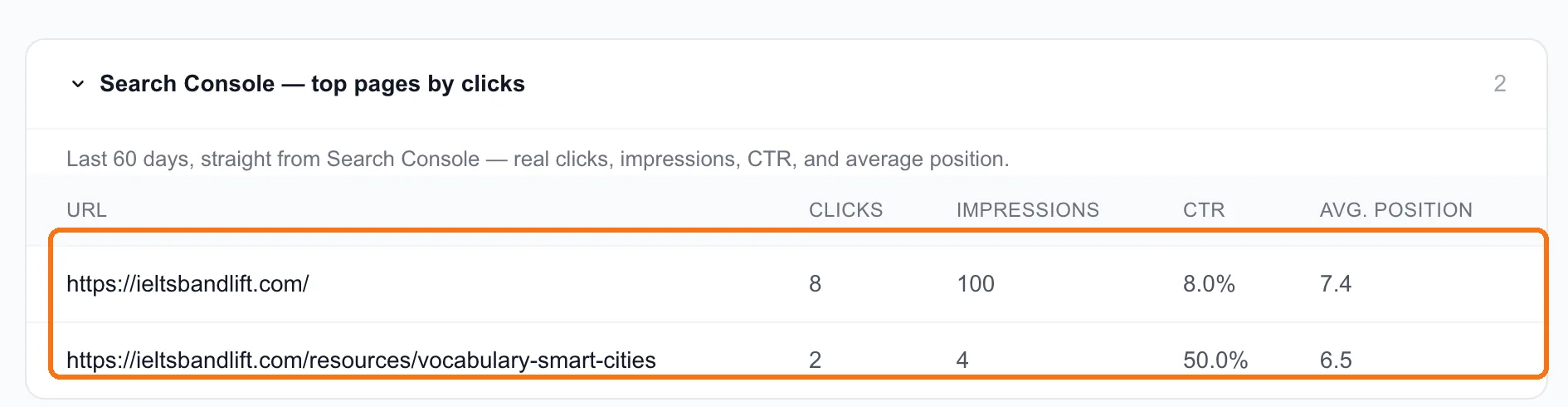
Eight clicks in 60 days on the homepage, from 100 impressions, at an average position of 7.4. One other page got 2 clicks. That's the whole site.
Write your numbers down, whatever they are. Every lesson after this one is measured against them.
Tip: Impressions with very few clicks, like ours, usually means you're showing up low on page one or on page two. That's actually a good place to start: Google already thinks you're relevant, and you need to move up, not get found.
Step 4: Crawl your sitemap
Click Crawl sitemap (full site). SEODojo reads every page in your sitemap: its word count, its headings, its title, and which of your other pages link to it. Bigger sites are crawled in batches. You can close the tab and come back, because the crawl carries on without you.
ieltsbandlift.com has 306 pages. The crawl found no technical errors, but it found two things worth knowing straight away:
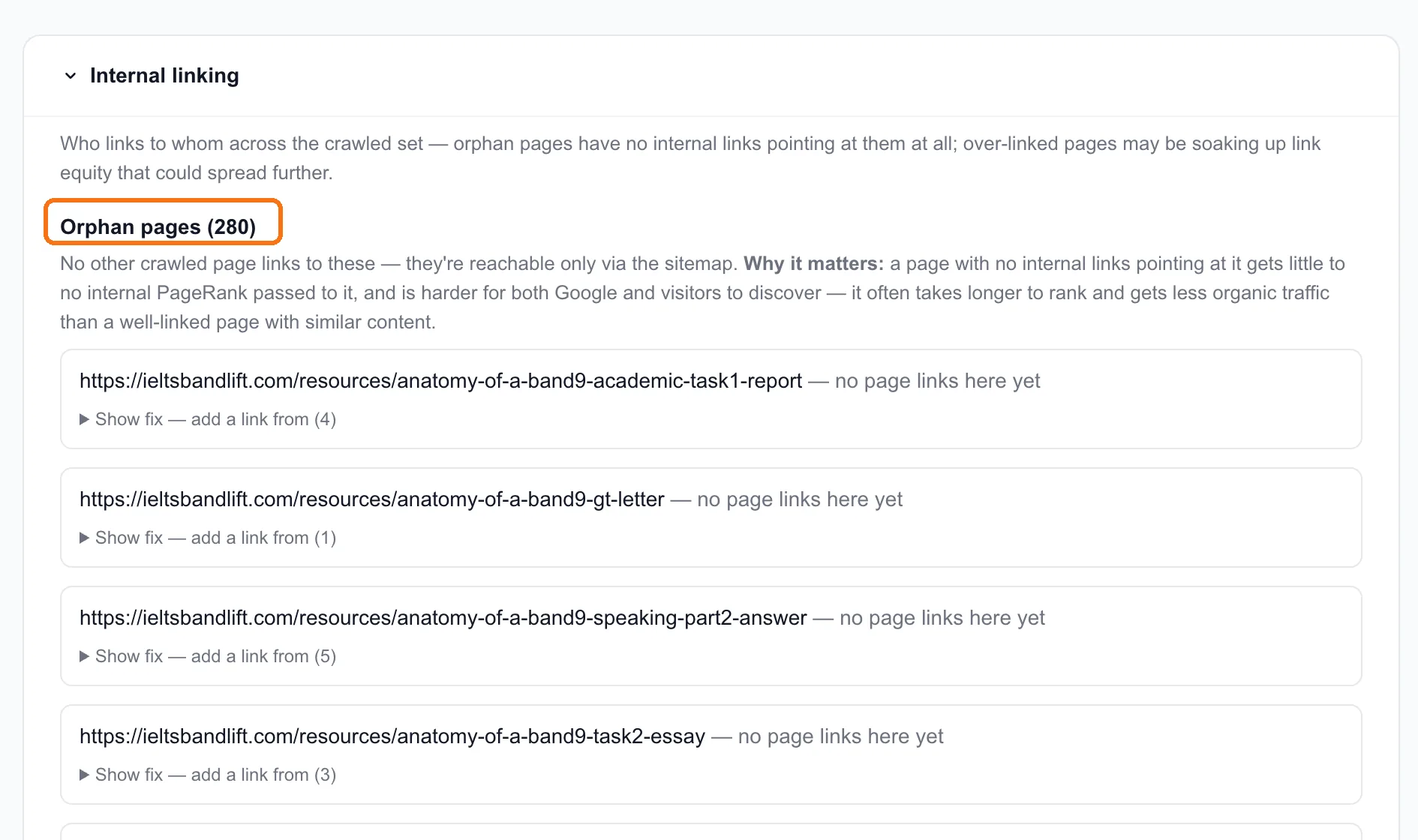
- 280 orphan pages. No other page on the site links to them. They're only reachable through the sitemap, so Google gets almost no signal that they matter. Each one has a Show fix that suggests which pages should link to it. Lesson 5.2 works through them.
- Thin pages. The pricing page has 104 words and the sign-in page 86. Sign-in doesn't matter. Pricing does, and lesson 7.3 explains why it matters for AI answers in particular.
Step 5: Fill in your brand card
Still on My Site, find Your brand in articles. This card tells SEODojo's article writer how to mention you: once or twice where it helps the reader, with links to your own pages, ending with your button. Leave it empty and articles don't mention you at all.
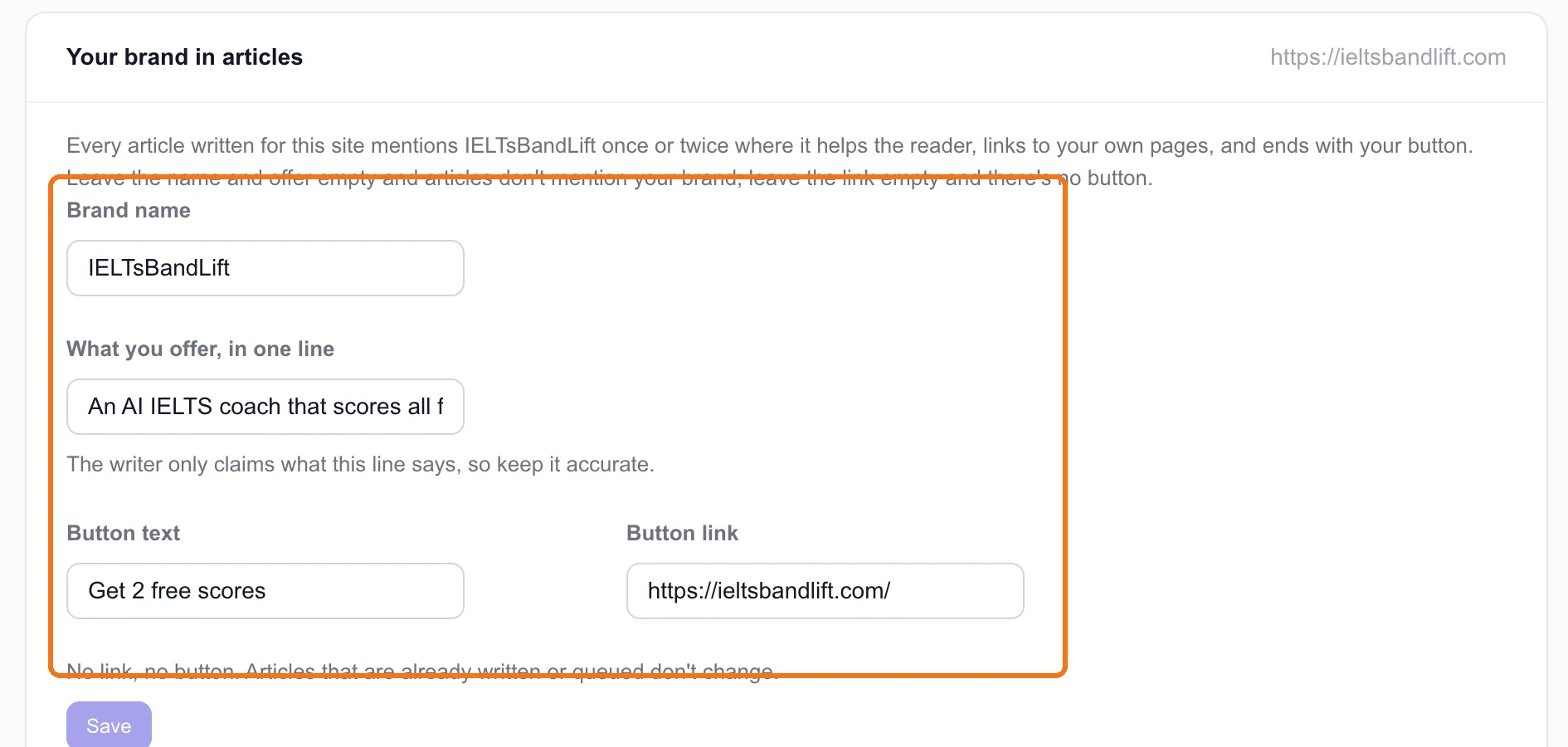
What we put in:
- Brand name: IELTsBandLift
- What you offer, in one line: "An AI IELTS coach that scores all four skills against the official band descriptors and tracks the recurring mistakes holding your band back."
- Button text: Get 2 free scores (the same call to action as our homepage)
- Button link: our homepage
Take care over the one-line offer. The writer only claims what this line says. Ours doesn't mention our speaking sessions, so articles won't either, and in lesson 7.5 that's exactly what we had to add by hand. Say what you do, accurately, in the words your customers use.
What you have now
For ieltsbandlift.com, the starting point is:
| Starting number | |
|---|---|
| Google clicks, last 60 days | 8 |
| Pages | 306 |
| Pages with no internal links | 280 |
| AI answers that name us (lesson 7.1) | 0 of 34 |
Not a strong position. But every number in that table has a lesson that moves it.
Done when
- Search Console is connected and your 60 days of data are pulled
- Your sitemap is fully crawled
- You've noted your clicks, your page count and your orphan pages
- Your brand card has your name, an accurate one-line offer, and your button