Writing from a blank page is slow. Generate full draft gives you a complete first draft in under a minute, built from the same analysis the Editor scores against. It's a very good starting point, and only a starting point.
Before you click: fill in the brand card
The generator mentions your brand only if your brand card (My Site, lesson 1.4) is filled in. Ours says:
- Name: IELTsBandLift
- Offer: "An AI IELTS coach that scores all four skills against the official band descriptors and tracks the recurring mistakes holding your band back."
- Button: Get 2 free scores, linking to the homepage
The writer only claims what that offer line says. Keep it accurate, because whatever it says ends up in every article.
Step 1: Generate
In the Editor, with your keyword picked, click Generate full draft. It asks you to confirm, because each draft counts toward your monthly drafts (Free includes 3).
To write in another language, type it in the Language box first. Scoring still checks for the English terms, so the score will look off on a non-English draft.
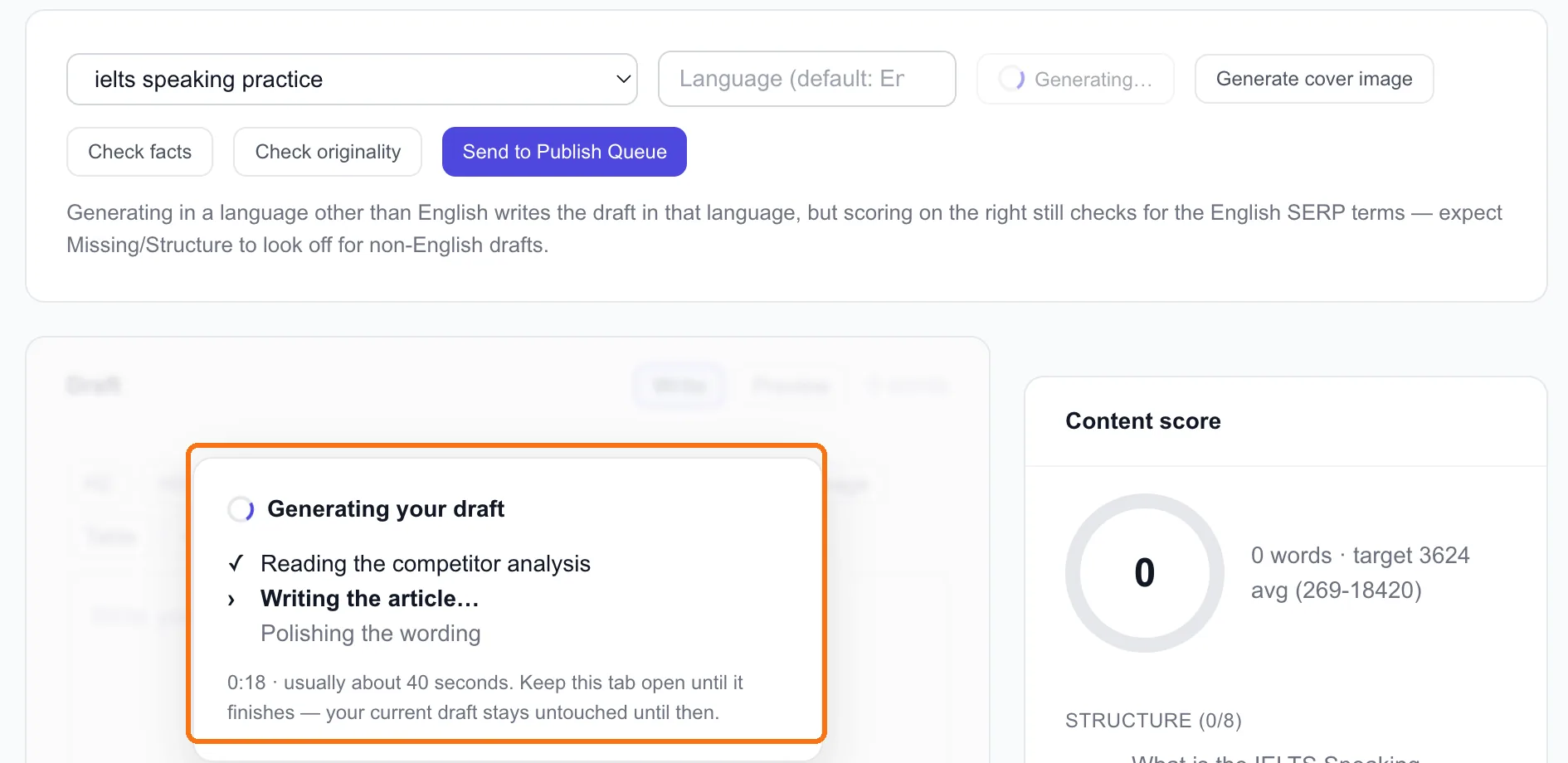
It reads the competitor analysis, writes the article, then polishes the wording. It usually takes about 40 seconds. Keep the tab open until it finishes. Anything already in the draft box stays untouched until then.
Step 2: See what you got
Our draft for ielts speaking practice:
- 3,680 words, content score 95, all 8 subtopics covered (lesson 3.1)
- IELTsBandLift mentioned twice, where it fitted the text
- 3 links to our own guides: study planning, Task 2 essay types, and Academic vs General Training
- Our button at the end: "IELTsBandLift: An AI IELTS coach… Get 2 free scores →"
- An SEO title and meta description, ready by the time it reached the Publish Queue: "IELTS Speaking Practice Guide with Tips and Test Format"
That's a lot of work done in 40 seconds: research, structure, coverage, brand, links and call to action.
Step 3: The edit every draft needs
Here's what the generator can't know, and what we found in ours.
1. Your real experience. It writes from the ranking pages, so it can only say what they say. Our app has seen real speaking attempts and knows which mistakes come up most. The draft knows none of that. Add one or two things only you could write. That's what makes a page worth citing (lesson 1.3).
2. What you actually offer. Our offer line doesn't mention speaking sessions, so neither does a draft about speaking practice. A one-line fix to the brand card fixes every future draft. For this one, we add the sentence by hand.
3. The opening. Ours starts: "The IELTS Speaking test is an important part of the International English Language Testing System (IELTS)." That's true, generic, and said by every page on the list. Rewrite the first two sentences to answer the searcher's question straight away. Lesson 3.3 shows how.
4. Specific claims. Ours advises "pause less than 3 seconds between ideas… which is needed for Band 7 or higher". That isn't in the official band descriptors. A rule that precise has to be checked or cut. Lesson 3.4 is about catching these.
5. Brand spelling. In the body text, the draft wrote "IELTSBandLift" instead of "IELTsBandLift". Small, but it's your name.
Tip: Keep the structure and cut the length. A generated draft tends to match the competitors' average length, which for us was inflated by one 18,420-word page. Ours would be a better page at 2,000 words than at 3,680.
Step 4: Cover image, then the queue
Generate cover image adds an AI header image at the top of the draft. When the draft is edited, Send to Publish Queue. Nothing goes live from there until you approve it (lesson 4.2).
Done when
- Your brand card is filled in and accurate before you generate
- You've generated one draft and checked its brand mentions, links and button
- You've made the five edits: your experience, your offer, the opening, specific claims, your brand's spelling
- It's in the Publish Queue, waiting for review