Lessons 7.1 to 7.4 were about seeing. This one is about changing what you see. The loop is simple, and it's the whole of AEO in four steps:
- Gap: a tracked prompt where the engines name others and not you
- Write: a page that answers that question better than what they cite now
- Publish: get it live, and get it in front of the pages engines already trust
- Re-check: let the weekly runs tell you whether anything moved
Here's our first trip round it with ieltsbandlift.com.
1. Pick the gap
Every one of our five prompts was a gap (0 of 34, lesson 7.1), so we had to choose. On AEO Check, scroll to Citation Trend. Every prompt and engine pair is listed, and the ones where you have nothing written yet show No content yet — write one →.
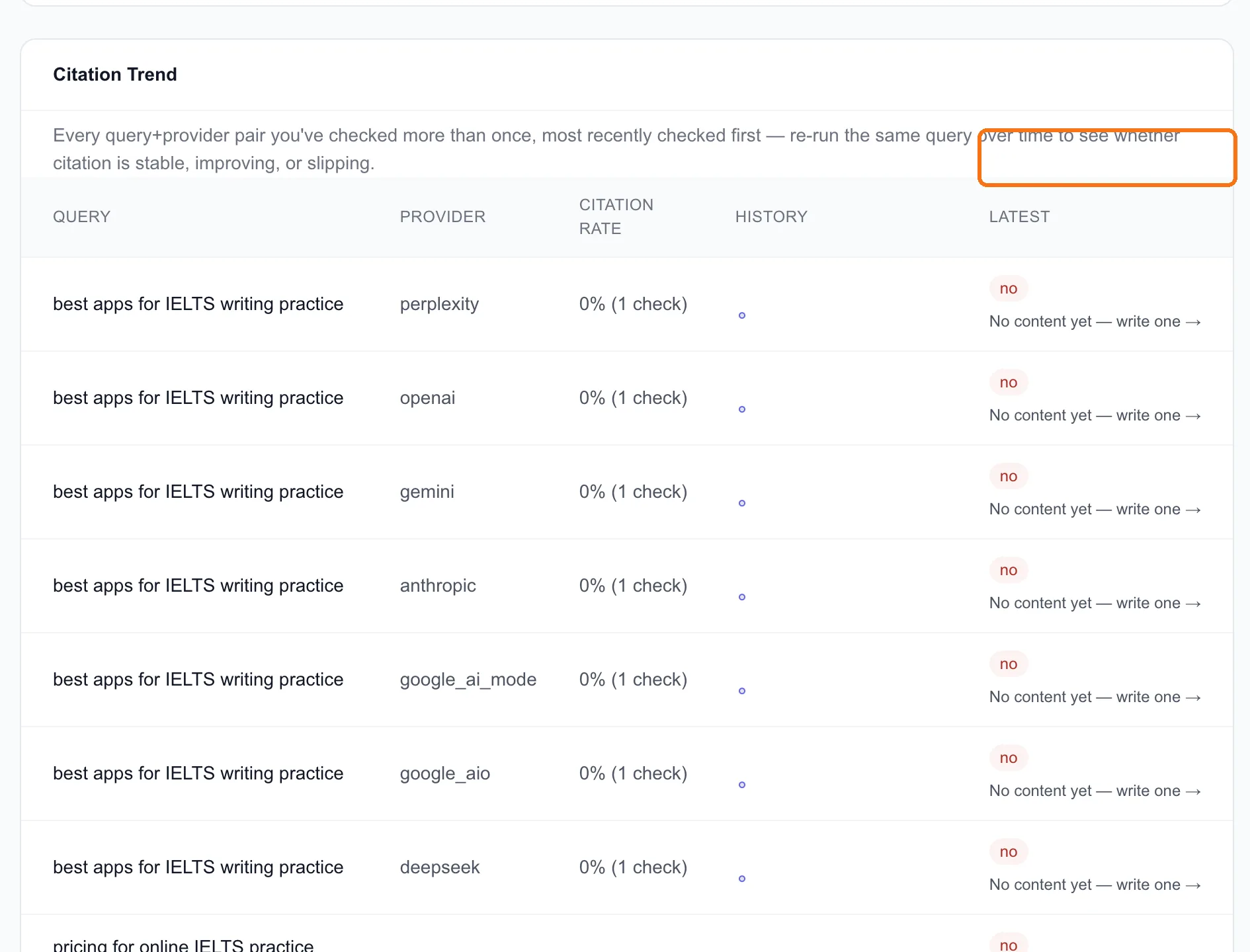
We picked "how do I improve my IELTS speaking score", for three reasons:
- It's a question we can answer better than most. Speaking is the one skill people can't practise alone, and it's what our app's AI-scored speaking sessions are for.
- Google agrees there's room. Keyword research (lesson 2.1) showed "ielts speaking practice" at 1,900 searches a month in India with a difficulty of just 5.
- The current answers are beatable. When we analyzed page one for "ielts speaking practice" (lesson 2.2), a 269-word speaking simulator ranked #5. A page doesn't have to be huge to get in. It has to be useful.
Tip: Pick the gap where you're genuinely the best answer, not the one with the biggest number. An article you can't make better than what's already cited won't change anything.
2. Write it
The write one → link opens the Editor with the question ready to analyze. We worked from the closely related keyword "ielts speaking practice", which we'd already analyzed, and clicked Generate full draft.
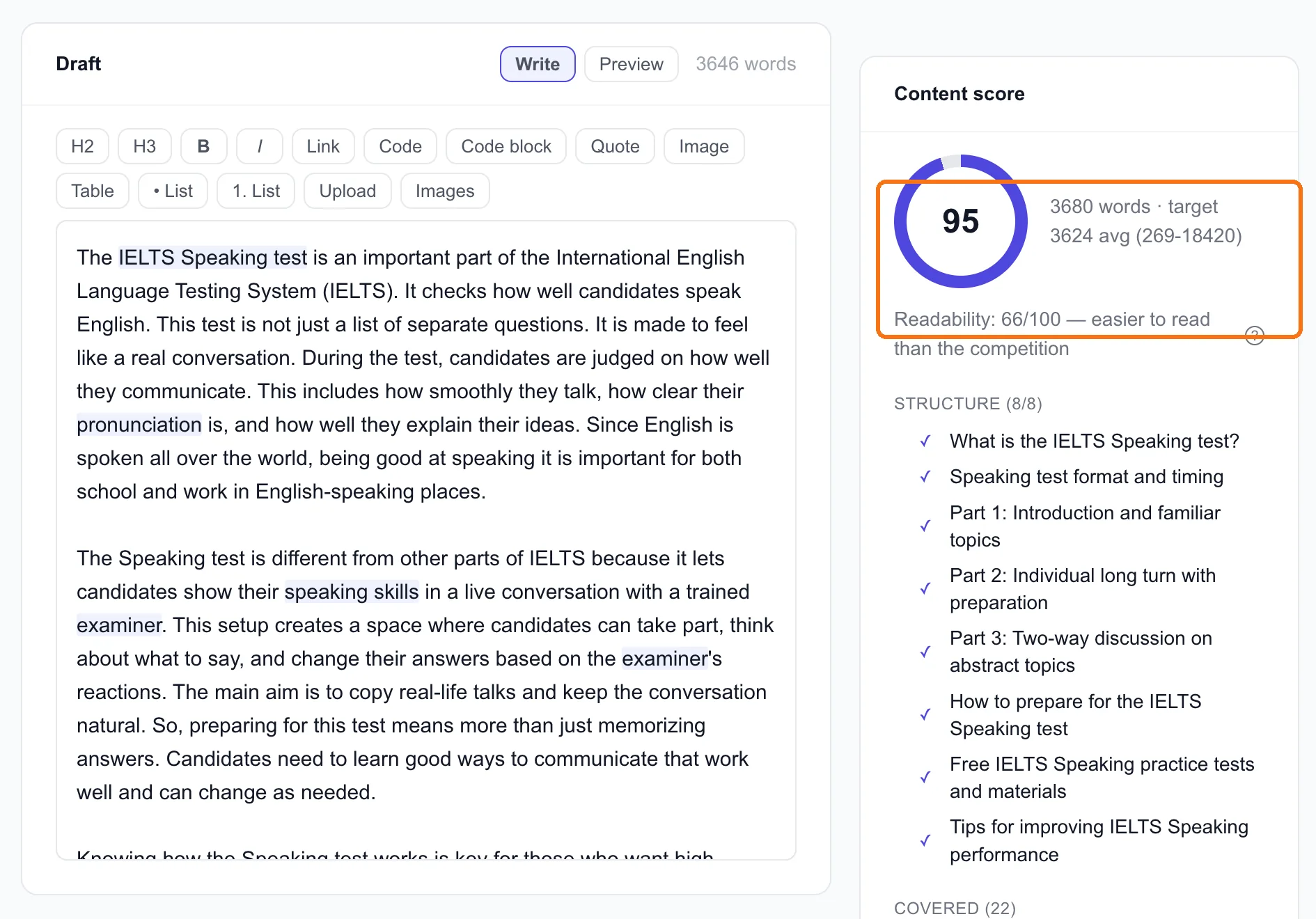
The draft came back at 3,680 words with a content score of 95, covering all 8 subtopics the top pages share. Because we'd filled in the brand card in lesson 1.4, it mentioned IELTsBandLift twice where it was relevant, linked to three of our existing guides, and ended with our "Get 2 free scores" button.
Now the honest part. A 95 means the draft covers what the ranking pages cover. It doesn't mean it's good. Ours opened with "The IELTS Speaking test is an important part of the International English Language Testing System", which every page on the internet already says. Before this goes live, it needs three things:
- Cut the opening to the answer. The first two sentences should say how to improve a speaking score, not what IELTS is. AI engines quote the first clear answer they find.
- Add what only we know. Our app tracks the recurring errors in every speaking attempt it scores. Which mistakes it flags most often, from our own data, is something no other page on the list can say. We'll pull those numbers before publishing.
- Make sure it says what we actually offer. The draft only mentions what the brand card says, and ours doesn't mention speaking sessions. So we're adding one sentence about the AI-scored speaking practice ourselves.
3. Publish it, and point to it
Click Send to Publish Queue. The article waits there as pending review until you approve it. Nothing goes live on its own.
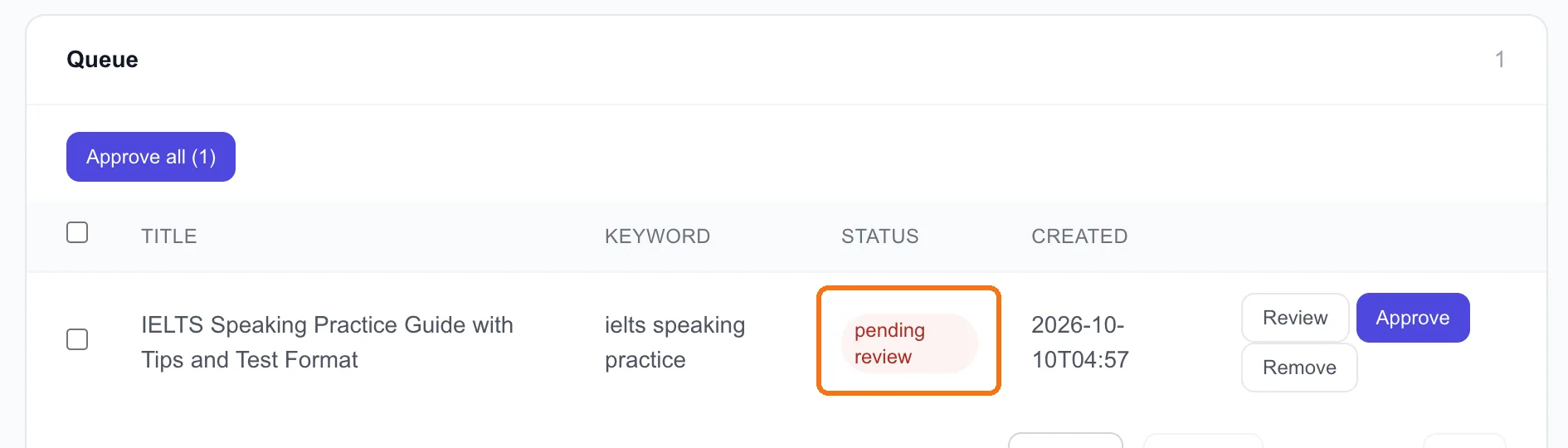
Once it's edited and approved, it publishes to the connected site (ours goes to our GitHub repo as a Markdown file; lesson 4.1 covers the other CMSs). Then do the part most people skip: tell the pages engines already read. The list articles from lesson 7.2 are where to start. "We just published a guide to improving your IELTS speaking score, built on the mistakes our app sees most in real speaking attempts" is a far better pitch than "please add our app".
Note: Only claim what you can back up. If you quote your own data, quote the real numbers.
Write about this, on the AI Visibility overview's By prompt table, is the hands-off version of steps 2 and 3. It queues the prompt as an Autopilot topic, which researches, writes and queues the article on a schedule. Lesson 4.3 covers Autopilot.
4. Re-check, and be patient
There's nothing to click here. The tracked prompts run every week, and Citation Trend fills in as they do. A "no" turning into a "yes" shows up there first, and if you've turned on alerts (lesson 7.6), you get an email the moment an engine starts naming you.
How long to wait? For search answers, engines need to find and index the new page first, so give it four to six weeks before judging. Don't rewrite the article after one run that didn't change.
Where we are: the speaking guide is edited and waiting in the Publish Queue, and the tracked prompts still show 0 of 34. Nothing has moved yet, which is expected before the article is even live.
Done when
- You've picked one gap where you can genuinely give the best answer
- The draft is written, and you've edited the opening, added something only you know, and checked what it says about your product
- It's in the Publish Queue (or live), and you've told at least one page from lesson 7.2 about it
- You've put a date four to six weeks out in your calendar to read the Citation Trend