We started tracking ieltsbandlift.com on October 10. The first result: 0 of 34 AI answers named it. Not one engine, not one question.
That's not a bad start. It's a real one. You can't improve what you haven't measured, and most sites have never asked an AI assistant about their own category. This lesson gets you that first number in about ten minutes.
What "tracking a prompt" means
A prompt is a question someone types into ChatGPT or another assistant, like "best apps for IELTS writing practice". SEODojo asks it for you on a schedule, reads every answer, and records whether your brand was named, which competitors were, and which pages the engine used as sources.
Two things make this different from typing the question yourself:
- It asks the real apps. ChatGPT, Perplexity and Gemini answers come from the apps people actually use, with live web search, not from a developer API that answers from old training data. (Lesson 7.4 shows how different those can be.)
- It repeats. One answer is noise: ask ChatGPT the same thing twice and you'll often get a different list. A weekly check builds a trend you can trust.
Step 1: Add your competitors first
Open AEO Check in the sidebar. Before tracking anything, scroll to Competitors and add the brands you lose customers to. Every answer is checked for them, so you see who gets named in your place.
For ieltsbandlift.com we added three: IELTS Liz, E2 Language and Magoosh. Add their other names in the second box (we added ieltsliz.com, IELTSLiz for the first one). Engines aren't consistent about how they write a brand, and a missed spelling is a missed mention.
Tip: Don't add ten. Three to five real competitors keeps the comparison readable. The answers will tell you about the others anyway (ours kept naming Grammarly and the British Council).
Step 2: Let SEODojo suggest the questions
Scroll to Tracked prompts. Set the country and language your customers are in. Ours are mostly in India, so we picked India and English. Then click Suggest prompts. SEODojo reads your homepage and proposes questions people might ask an AI assistant about what you offer.
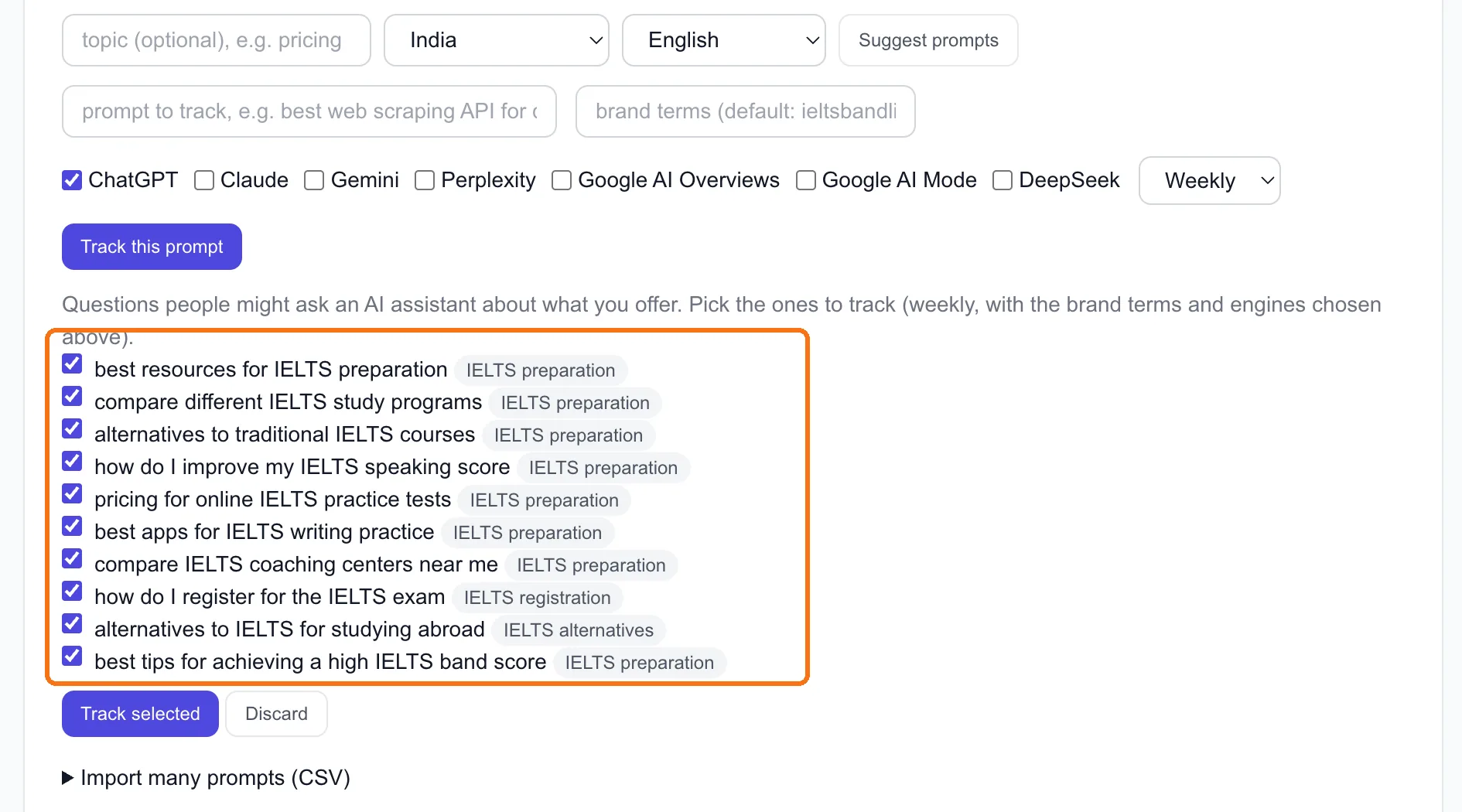
We got ten. They're all ticked by default, and you shouldn't track them all. We kept five and dropped the rest:
- Kept "best apps for IELTS writing practice". Someone asking this is about to choose a tool. That's our customer.
- Kept "how do I improve my IELTS speaking score". It's a learning question, but the answer often recommends tools.
- Dropped "how do I register for the IELTS exam". The answer will always be the official test sites, and nobody registering is shopping for a coach.
- Dropped "compare IELTS coaching centers near me". We're an app, not a centre.
The rule we used: would a good answer to this question reasonably include us? If not, tracking it only drags your number down and tells you nothing.
Step 3: Pick the engines and how often
Tick the engines above the list. We ticked all seven, kept Weekly, and clicked Track selected.
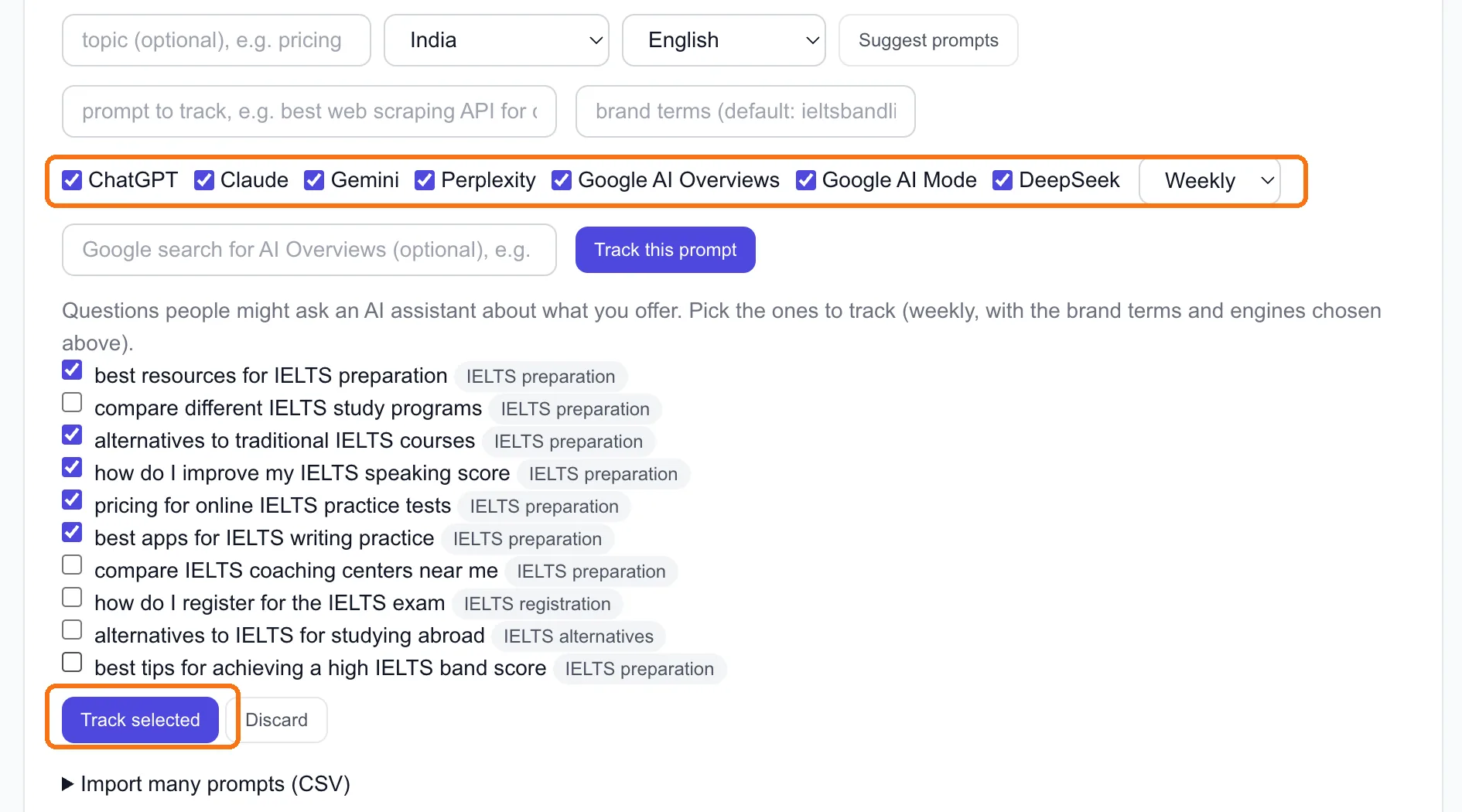
Each engine costs a different number of AI-check credits per run, because each costs a different amount to ask:
| Engine | Credits per run |
|---|---|
| ChatGPT, Gemini, Perplexity, DeepSeek | 1 each |
| Google AI Overviews, Google AI Mode | 2 each |
| Claude (with web search) | 10 |
So one prompt on all seven engines is 18 credits a run. Our five prompts weekly come to about 390 credits a month, comfortably inside Pro's 2,900. If you're tight on credits, Claude is the one to drop first: it costs more than the other six put together.
Pro tracks up to 50 prompts, and 15 of them can run daily. Weekly is plenty to start. Answers don't change by the hour, and you'll want a few weeks of data before any trend means anything.
Note: On the Free plan you can't schedule prompts, but you can ask by hand from Run a check at the top of the page. Those are quick checks: ChatGPT, Perplexity and Gemini answer through their APIs rather than the real apps, so only the Claude, DeepSeek and Google answers count toward your AI Visibility numbers.
Step 4: Read your first result
The first runs finished within a few minutes. Every engine got a ✗ on every prompt:
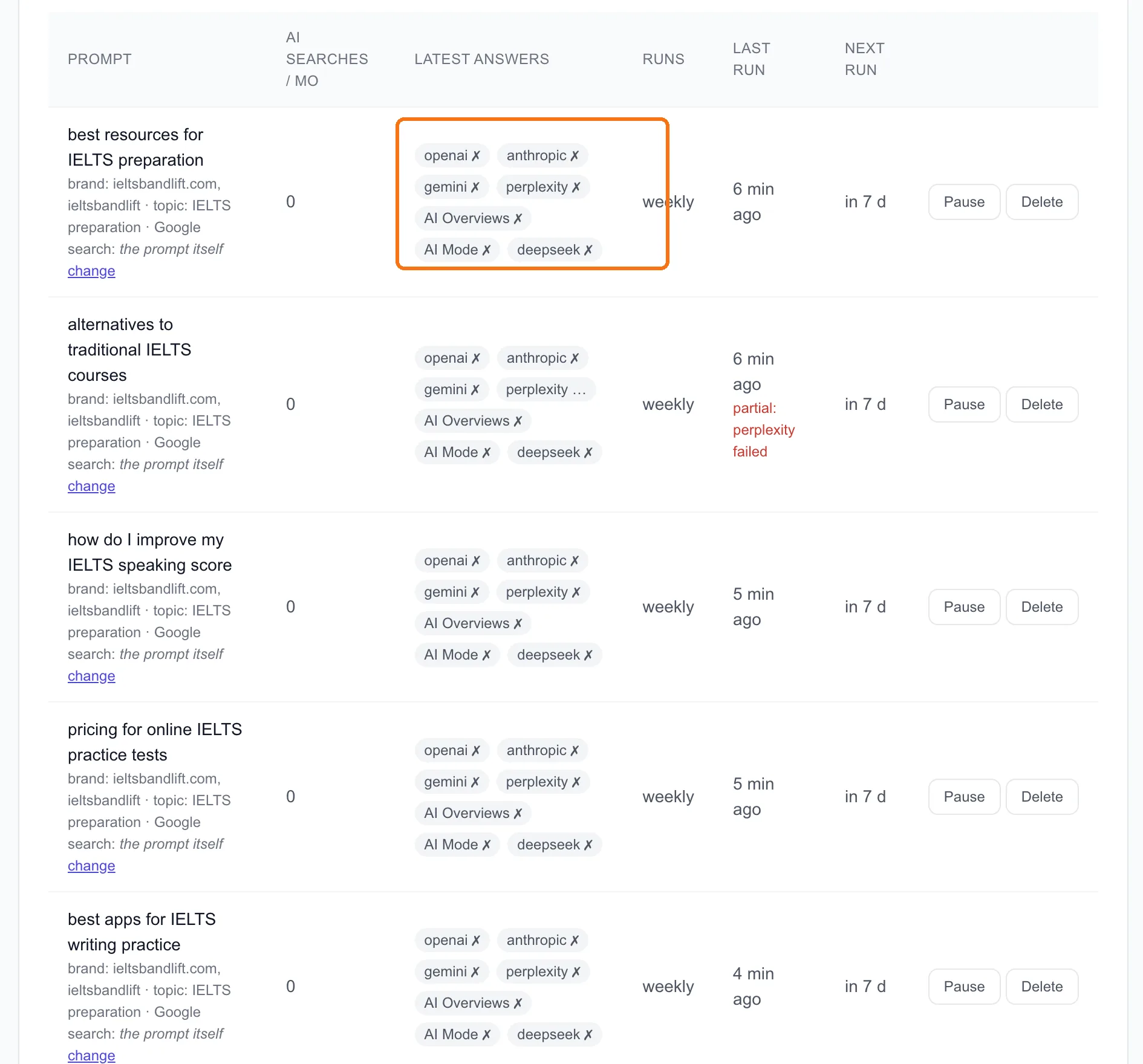
Thirty-four answers, zero mentions. (It's 34 rather than 35 because one Perplexity run failed and was retried later. That happens, and it doesn't count against you.)
Here's how we read that, and how you should read yours:
- 0% is normal for a site AI hasn't heard of yet. ieltsbandlift.com gets 8 Google clicks in 60 days. AI engines with web search lean on the same pages Google trusts, so a site with little Google presence rarely gets named.
- The interesting part isn't your number, it's who got named instead. Our answers kept naming IELTS Liz, Magoosh and E2, plus the official IDP and British Council sites. That's the list we're competing to join.
- Don't panic over one engine. A single "no" from ChatGPT this week can be a "yes" next week. Look at the trend after three or four runs.
Done when
- 3–5 competitors added, with their other spellings
- 5 tracked prompts that a good answer could reasonably include you in
- Country and language set to where your customers are
- First run finished, and you've written down your baseline (ours: 0 of 34)
Next, lesson 7.2 looks at the part of those answers that tells you what to do about it: the sources.